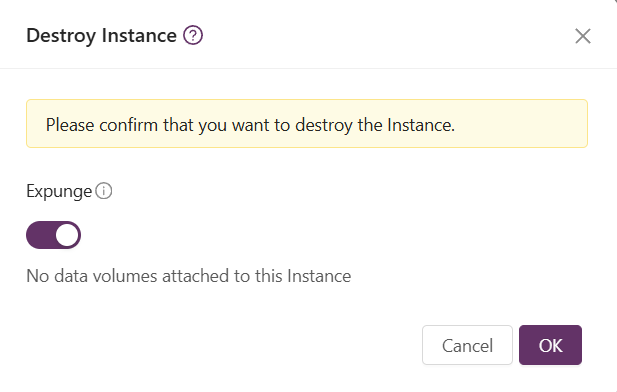
Destroy an Instance
To permanently remove an instance and free up its resources, you need to destroy and then expunge the instance.
When you destroy an instance, it changes to the “Destroyed” state and stays in that state for three days. During this time, you can restore the instance if you need to recover it.
While an instance is in the Destroyed state, it still uses some logical resources. After the three-day retention period, the instance is automatically expunged. This process permanently deletes its disk and releases all associated resources.
From the left menu choose Compute > Instance select the vertical ellipsis (three vertical dots) and choose for the “destroy” icon.

Expunging an Instance
You can choose the Expunge option during the destruction process. Selecting this option permanently deletes the instance and all its data, making recovery impossible.
Once an instance has been expunged, it cannot be restored.